
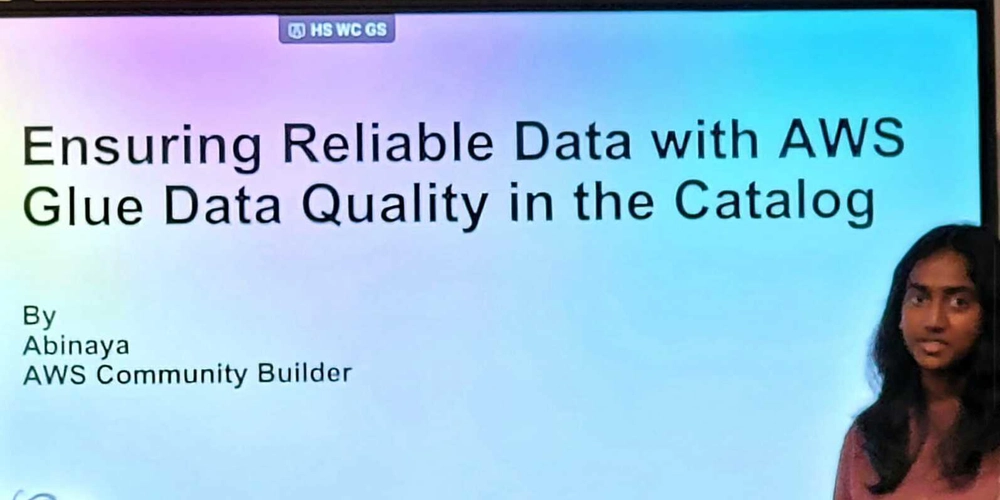
Reliable Data with AWS Glue Data Quality
On September 27, 2025, I went to the AWS User Group Chennai Meetup and it was really full of great sessions. One of the talks that impressed me the most was by Abinaya, an AWS Community Builder, who spoke about “Ensuring Reliable Data with AWS Glue Data Quality in the Catalog.” If you’ve ever worked on data pipelines, you probably know how frustrating it can be to deal with poor data quality. It’s like trying to build a house on unstable ground, no matter how strong your analytics or machine learning models are, bad input means bad output.
Let’s be honest: data quality is something everyone understands is important, but it’s often ignored or left for later. This session really changed how I see AWS Glue Data Quality. It showed me that data validation can be not only easier but also scalable and more cost-effective.
Before we talk about data quality, let’s briefly explain what AWS Glue is. AWS Glue is a serverless ETL (Extract, Transform, Load) service offered by AWS. Imagine it as a tool that helps you move data from one location to another like from a database to a data lake and also changes the data as it goes.
The session mentioned that Glue is serverless, which means you don’t have to manage servers or the underlying infrastructure. You can focus on transforming your data, and AWS takes care of everything else. It includes several useful features like:
-
A data crawler that automatically finds and understands the structure of your data
-
A data catalog that works like a central place to store information about your data
-
ETL jobs that you can run on a schedule or start when certain events happen
Here’s the thing: AWS Glue is great for creating data pipelines, but what if the data moving through those pipelines isn’t consistent, missing pieces, or just incorrect? That’s where AWS Glue Data Quality steps in.
The session made a key point: if your data is inconsistent or of poor quality, your insights won’t be reliable. Think about running an e-commerce site where your sales data has duplicate orders or missing customer details. Your reports might show higher sales than they actually are or incomplete customer profiles. Has this ever happened to you?
Validating data is essential for building trust in your data lakes. Without proper validation, you’re like trying to navigate without seeing where you’re going. The speaker said traditional ways of validating data take a lot of time and money. Usually, you’d have to write custom scripts, keep them updated, and run them separately from your ETL processes.
AWS Glue Data Quality changes things by making validation quicker and automatic. Instead of spending days or weeks creating validation systems, you can set up data quality rules right inside your Glue jobs.
What It Actually Does
AWS Glue Data Quality is based on DeeQu, which is an open-source data quality tool created by Amazon. Here’s what makes it unique:
The service offers three main types of features:
-
Rule: Individual data quality checks you define
-
Ruleset: A collection of rules grouped together for validation
-
Tags/Parameters: Metadata you can attach to track costs and organize your rulesets
You may be wondering what kinds of checks you can do. AWS Glue Data Quality allows you to:
-
Rulesets for validation: Define specific conditions your data must meet
-
Performance monitoring: Track how your data quality checks are performing over time
-
Cost tracking in AWS Cost Explorer: See exactly how much you’re spending on data quality checks
The Technical Foundation
AWS Glue Data Quality uses DeeQu, an open-source framework that Amazon built and shared with the public. This means you aren’t tied to a specific company’s tools. If you ever decide to leave AWS Glue, you can still use your data quality rules because they are based on open standards.
The speaker gave some very useful tips about using AWS Glue Data Quality in a real-world setting:
Runtime and Cost
The time it takes to run the data quality checks goes up as the number of rules increases. That makes sense because more rules mean more checks to do. But the good news is that the cost depends on how much compute power you use, and it stays low, usually between $0.18 and $0.54.
Let me explain that. A DPU is a unit of computing power used by AWS Glue. Even if you have a lot of data quality checks, the cost is still less than a dollar for most tasks. That’s much cheaper than building and running your own data validation system.
Tracking and Optimization
Tagging your rulesets helps you keep track of and manage your spending. Tags are like labels for different projects or teams. For example, you can tag a ruleset with “team:marketing” or “project:customer-analytics.” This lets you see in AWS Cost Explorer which teams or projects are using the most data quality resources, and helps you manage costs better.
This is where things get really helpful: Glue Data Quality can cut validation time from days to just a few hours. Traditional data quality checks often run as separate jobs after your data is processed. With Glue Data Quality, you can check data quality while it’s still in memory during the data processing step, which is way faster.
Rulesets Categories Explained
The session explained how rulesets are structured. Understanding this helps you think about data quality in a more organized and manageable way:
Individual Rules
A Rule is a single data quality check. For example:
-
Make sure the “email” column has no empty or missing values.
-
Check that “order_amount” is always a positive number.
-
Ensure that “created_date” is not a future date.
Rulesets
A Ruleset is a group of related rules. You can put similar rules together based on how they fit your needs. For example, you might have:
-
A “Customer Data” ruleset that includes rules for customer information.
-
An “Order Validation” ruleset that includes rules for order details.
-
A “Financial Compliance” ruleset that covers rules for following financial regulations.
Tags and Parameters
Tags or Parameters allow you to add extra information to your rulesets. This is really helpful for:
-
Organizing rulesets by team, department, or project
-
Tracking costs at a granular level
-
Implementing governance policies
In short, this three-level structure lets you organize your data quality checks in a way that works best for your company.
The session ended with some useful tips on how to use AWS Glue Data Quality effectively. These tips are really helpful if you’re thinking about setting up data quality checks.
Start Simple, Then Scale
Start with easy rules and then add more as you go. Don’t try to create a perfect system right away. Begin with simple checks like:
-
Are there any missing values where data should be?
-
Are the data types correct?
-
Are all the necessary fields there?
Once these basic checks are working well, you can add more complex rules such as checking if data links correctly between different datasets or comparing data across different sources.
Use Tags for Cost Monitoring
Use tags to keep track of costs. It might seem simple, but it’s easy to forget. Tag your rule sets from the beginning so you can see how much you’re spending as your system grows. You’ll be glad you did when someone asks, “How much are we spending on data quality for the marketing database?”
Enable Caching
Turn on caching to make things faster. AWS Glue Data Quality has a caching feature. If you run multiple checks on the same data, it won’t have to read the data again each time. This can help speed things up and save money.
Monitor Actively
Connect with alerts and dashboards to keep an eye on things. AWS Glue Data Quality can send notifications through Amazon EventBridge when there are data quality problems. Set up alerts so your team gets notified right away when something goes wrong. You can also create dashboards in Amazon CloudWatch or another tool to track data quality trends over time.
To be fair, the speaker really stressed this point: AWS Glue Data Quality is scalable, reliable, and cost-efficient for validation. It’s not just about having data quality checks, it’s about having them run automatically as part of your pipeline without making costs go up or needing constant attention.
The session also showed that AWS Glue Data Quality automates the creation of rules, which saves you from doing a lot of manual work. You can even use the built-in machine learning features to automatically suggest rules based on your data. In short, you spend less time writing validation code and more time using your data.
Let me give you a couple of real-world examples to make this clearer:
Scenario 1: E-commerce Order Pipeline
Imagine you’re collecting order data from different places, your website, mobile app, and third-party marketplaces. You could set up a ruleset that checks:
-
Order IDs are unique
-
Customer emails are valid format
-
Order totals match the sum of line items
-
Payment status is one of the allowed values
If any order doesn’t meet these checks, you can set the pipeline to separate the bad records and send an alert to your team, while letting the good records go through.
Scenario 2: Healthcare Data Compliance
For healthcare organizations that handle patient data, data quality isn’t just a nice feature, it’s a legal requirement. You could use AWS Glue Data Quality to check:
-
That patient identifiers are present and properly formatted
-
That dates of birth are within valid ranges
-
That all required fields for regulatory reporting are filled in
-
That sensitive data is properly encrypted
The system would automatically create compliance reports showing which records passed the checks and which ones need to be reviewed.
At the end of the day, AWS Glue Data Quality helps change messy and unreliable data into something teams can really trust for using in reports and making decisions. By making sure data checks are an important part of your data pipelines, not something you forget about later, you get quicker results, less money spent, and way fewer problems when you share your reports or dashboards.
For people building data systems on AWS, starting with just a few simple rules and slowly adding more to your data quality plan is a smart way to make your work more dependable and trustworthy every day.
As an AWS Community Builder, I enjoy sharing the things I’ve learned through my own experiences and events, and I like to help others on their path. If you found this helpful or have any questions, don’t hesitate to get in touch! 🚀
🔗 Connect with me on LinkedIn
Event: AWS User Group Chennai Meetup
Topic: Reliable Data with AWS Glue Data Quality
Date: September 27, 2025